CRM – CPQ – ERP: It’s All In the Data
by: Jon Beck

by: Jon Beck
A lot is being written about the interaction between CRM, CPQ and ERP. As far as I can tell though, most authors are approaching the question from the wrong perspective which include:
This article will describe the intricacies associated with deploying CRM, CPQ and ERP technology to the front office, which by the way, includes your customers.
First, let’s level set on the definitions of acronyms I’m using in this article. CRM stands for “Customer Relationship Management”. CRM comes in stand-alone flavors (e.g., SalesForce, InfusionSoft, Microsoft Dynamics CRM) and every ERP vendor I’m aware of also notes their ERP solutions include CRM.
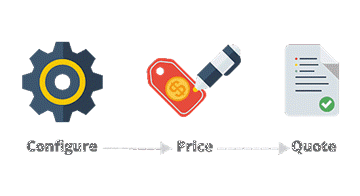
CPQ stands for “Configure -> Price -> Quote”. In its simplest form, configuration presents the user with a series of choices to refine the order. Take for example, buying a shirt. Once you find the type of shirt you want to buy, the retailer requires you to “configure” it with a series of choices: size, color, type of fabric, care properties (e.g., regular v. wrinkle-free fabric). As you configure your “quote”, the retailer tells you whether they have that configuration in stock. Let’s say I wear a size large and would like an oxford blue color. After I choose my size, the application shows me the colors that are available in the drop down – unavailable colors are greyed out. As I create the quote, I’m guided by the software into a final order that both meets my requirements AND is in stock (available for me to purchase). Examples of CPQ vendors include Apttus, Powertrak CPQ, Quotewerks and PandaDOC.
Finally, ERP stands for “Enterprise Resource Planning”. ERP started out as a business concept and morphed into a class of software. ERP is very broad in terms of organizational reach. Most ERP vendors have “modules” that cover a business end-to-end starting with marketing and sales, manufacturing and distribution and finally service (e.g., customer service / field service). Examples of ERP applications include SPA, Microsoft Dynamics AX and NetSuite.
Here’s why that lengthy discussion is important.[pms-restrict subscription_plans=”1607″] Your sales people, and more likely than not, are going to have to touch each of the acronyms before they receive their order. It is quite possible for a sales person to access software from 3 different vendors to complete their work:
With that backdrop in mind, let’s consider the reasons simplifying the task as hand (clearly demarking front from back office) and minimizing the effort associated with deployment is so risky. In a word, it’s all about the data. Who needs the data and when, where will the data reside and what’s going to be the “single source of truth” for accurate data.
A quote or an order always starts with one piece of information in multiple parts: the customer. If sales creates a new order for a net new customer, customer data will be in the CRM application. What if sales creates a new order for an existing customer? Where does that customer information come from? This is an extremely important question since the customer information may, theoretically, now reside in 2 places: CRM and ERP. Clearly the data was in CRM since that’s what sales used to create the quote in the first place. However, when the quote was transformed into an order, that data was created in ERP so that ERP could process the order (perform credit checks, verify financing, etc.) and eventually invoice the customer. Which application has the correct information for that existing customer? To solve this issue, most organizations need some sort of data synchronization / integration to ensure correct data is used by the right person at the right time. That’s a complex and costly proposition to create and maintain. In other words, deploying CRM just got a lot harder. It also creates a very blurry line between front / back office.
Customer data is only one example where data makes the demarcation of front/back office difficult. Consider these additional data items:
Oversimplifying the discussion of CRM – CPQ – ERP is dangerous and the decision to deploy new or updated solutions for any should be approached carefully and by a cross-functional team of business and technology experts. If you found this article helpful, please be sure to check out other articles and videos in our Better Change series.[/pms-restrict]
 Top 10 Self-Defeating Behaviors